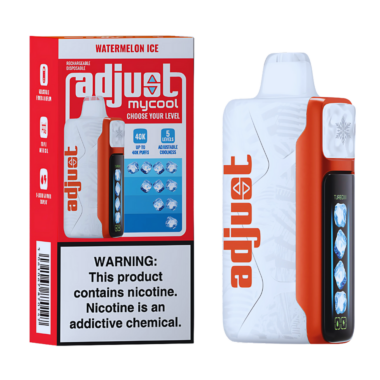
It can be frustrating when your brand-new Geek Bar Pulse X 25000 Puffs Disposable Vape has a screen that isn't cooperating. This advanced device boasts a unique 3D curved screen, designed to offer a premium visual experience, so a non-functional display can really dampen the mood. Let's explore why this might be happening and what you can do about it.
Understanding the Geek Bar Pulse X Screen
The Pulse X features a distinctive 3D curved screen that provides real-time information about battery life and e-liquid levels. Unlike simpler disposables, this screen adds a layer of user interaction and aesthetic appeal. However, like any electronic component, it can encounter issues.

Common Reasons for Screen Malfunctions 📱
- Initial Activation: Sometimes, the screen might not activate immediately upon unboxing. This is often a simple fix.
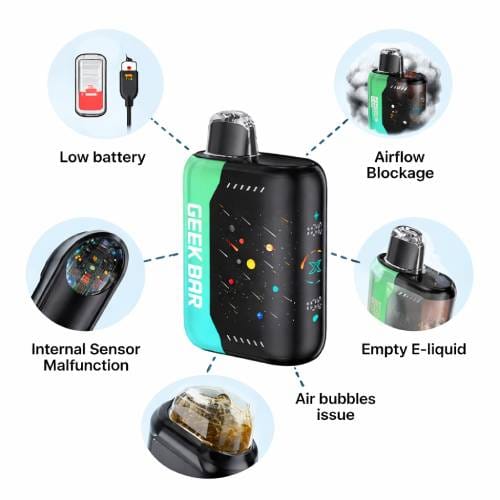
- Battery Depletion: While rechargeable, the battery needs sufficient charge to power the screen. If the battery is critically low, the screen might not illuminate.
- Physical Damage: Accidental drops or impacts can damage the delicate screen or its internal connections.
- Liquid Exposure: Although designed for vaping, excessive exposure to moisture or e-liquid can affect electronic components.
- Manufacturing Defect: In rare cases, a device might have a defect from the manufacturing process.
Troubleshooting Steps You Can Try 🤔
-
Check for Protective Film: Ensure any protective film that might have been applied during shipping has been removed. Sometimes, this film can obscure the screen's visibility.
-
Charge the Device: Even though it's a disposable, the Geek Bar Pulse X 25000 Puffs Disposable Vape has a rechargeable battery. Connect it to a power source using a suitable USB-C cable (not included) and allow it to charge for at least 30 minutes. Observe if any charging indicator appears on the screen or device. A low battery is a frequent culprit for display issues.

-
Inspect for Damage: Carefully examine the device for any visible signs of damage, such as cracks on the screen or casing. If you notice any, it might indicate physical damage that requires a replacement.
-
Clean the Charging Port: Ensure the USB-C charging port is clean and free of debris. A blocked port can prevent proper charging, indirectly affecting screen functionality.

- Try Different Draw Activation: The Pulse X has dual PULSE/regular draw activation. Try taking a few gentle puffs to see if this triggers the screen. Sometimes, a consistent draw is needed to wake the device.
When to Consider a Replacement 🔄
If you've tried the above steps and the screen on your Geek Bar Pulse X 25000 Puffs Disposable Vape remains unresponsive, it's possible there's an internal issue. For users seeking a reliable, long-lasting disposable experience, you might consider other options while you await a resolution or replacement for your Pulse X. For instance, the UMIN Slick Plus 10000 Puffs Disposable Vape offers a substantial puff count with a dependable performance, or the IGET BAR PLUS S3 Pod Only 10000 Puffs provides a robust flavour experience.
If your device is within its warranty period and exhibiting persistent issues, reaching out to the retailer or manufacturer for support is the next best step. They can guide you through the warranty claim process or offer a replacement if a defect is confirmed.
Important Compliance Notice ⚠️
This product is intended for adult smokers and vapers only. Vaping products contain nicotine, which is addictive. Please ensure you are of legal smoking age in your jurisdiction before purchasing or using any vaping device. For detailed information on age verification, purchase conditions, and our privacy policy, please refer to the 'Must-Read Before Buying' section on our website. Misuse of electronic nicotine delivery systems can lead to adverse health effects. Always use as directed and keep out of reach of children and pets.