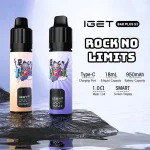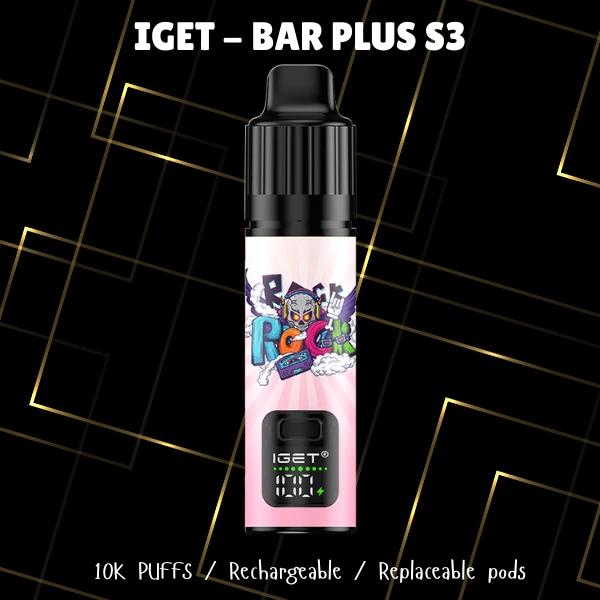
Experiencing a blinking light on your IGET BAR PLUS S3 can be a bit puzzling, especially when you're looking forward to a satisfying vape. It's a common concern for many users, and thankfully, it often points to a straightforward issue that can be resolved quickly. Understanding what these light signals mean is the first step to getting your device working smoothly again. This guide will walk you through the typical reasons for a blinking light and provide practical solutions, ensuring you can enjoy your vaping experience without unnecessary interruptions.
Important Compliance Notice: Vaping products are intended for adult users only. You must be of legal smoking age in your jurisdiction to purchase and use these products. Please vape responsibly and be aware of local regulations regarding vaping.
Understanding Your IGET BAR PLUS S3's Blinking Light
When your IGET BAR PLUS S3 starts blinking, it's usually trying to communicate something specific about its status. Unlike more complex devices with screens, disposable or pod-based systems like the IGET BAR PLUS S3 use LED indicators to signal various conditions. Here are the most common interpretations:

- Low Battery: This is by far the most frequent reason for a blinking light. Your device is indicating that its power source is running low and needs recharging. For the IGET BAR PLUS S3, which uses a rechargeable battery, this means it's time to plug it in.
- E-liquid Depletion: While the IGET BAR PLUS S3 uses replaceable pods, the device itself might have a sensor that detects when the pod's e-liquid is critically low or empty. Once the e-liquid runs out, the device can no longer produce vapour, and a blinking light serves as a prompt to replace the pod.
- Pod Connection Issue: As a pod system, the IGET BAR PLUS S3 relies on a secure connection between the battery unit and the pod. If the pod isn't seated correctly, or if there's a slight obstruction on the connection points, the device might blink to indicate it can't establish proper contact.
- Puff Limit Reached: Disposable vapes and some pod systems are designed for a specific number of puffs. Once this limit is reached, the device will often blink and cease to function, signalling it has reached the end of its intended lifespan.
- Safety Feature Activation: Sometimes, a blinking light can indicate a safety mechanism has been triggered. This could be due to an over-puff (taking too long or too frequent draws), a short circuit within the device or pod, or overheating. These features are designed to protect both the user and the device.
Step-by-Step Troubleshooting for Your IGET BAR PLUS S3
Don't let a blinking light ruin your day! Most issues can be resolved with a few simple steps. Here’s what you can try:
- Recharge Your Device: If you suspect a low battery, connect your IGET BAR PLUS S3 to a suitable charging source using the provided cable. Allow it to charge fully. A solid light usually indicates charging, and the light will typically turn off or change colour when complete. 🔋

- Check Pod Connection: For your IGET BAR PLUS S3, ensure the pod is firmly and correctly inserted into the device. Remove the pod and reinsert it, making sure it clicks securely into place. Sometimes, a slight adjustment is all it takes.
- Inspect Pod Contacts: Gently remove the pod and look at the metal contact points on both the pod and inside the device. Use a dry cotton swab or tissue to carefully wipe away any condensation, dust, or debris that might be interfering with the connection. ✨
- Try a New Pod: If the blinking persists after checking the connection and cleaning, the issue might be with the pod itself. Try replacing it with a fresh IGET BAR PLUS S3 pod. If the new pod works, it confirms the previous pod was either empty or faulty. You can find replacement pods here: learn more about IGET BAR PLUS S3 pods.

- Allow Device to Cool: If you've been chain-vaping, the device might have overheated. Set it aside for 10-15 minutes to cool down. If the blinking stops afterward, consider taking shorter breaks between puffs.
- Gentle Puffing: Ensure you're taking smooth, consistent draws. Aggressive or very long puffs can sometimes trigger safety cut-offs, leading to blinking lights.
When to Consider a New Pod or Device
If you've gone through all the troubleshooting steps and your IGET BAR PLUS S3 continues to blink or fails to produce vapour, it's likely time for a replacement. For the IGET BAR PLUS S3, this means either a new pod or, if the battery unit itself is faulty, a new device. Remember, all vaping devices have a finite lifespan.

When considering your next purchase, you might explore options that offer different puff counts or features. Here are some popular choices:
- For Extended Use: If you appreciate a higher puff count and robust battery, devices like the IGET ONE 12000 Puffs or the IGET BAR PRO 10000 Puffs could be excellent alternatives. They offer long-lasting performance in a compact design. view IGET ONE 12000 details or explore IGET BAR PRO 10000.
- For Premium Features: The UMIN Geek Bar PULSE X 25000 Puffs offers an impressive puff count, a large e-liquid capacity, and advanced features like a 3D curved screen and dual draw modes for a high-style vaping experience. discover UMIN Geek Bar PULSE X.
- Reliable & Flavourful: The Umin Slick Plus 10000 Puffs and ALIBARBAR INGOT 9000 Puffs provide a reliable MTL (mouth-to-lung) draw with a wide array of refreshing flavours, perfect for consistent, hassle-free vaping. check out Umin Slick Plus or learn more about ALIBARBAR INGOT.
Maximising Your Vaping Experience: Tips for Longevity
To get the most out of your IGET BAR PLUS S3 and other vaping devices, consider these general tips:

- Proper Charging: Always use the charger provided or recommended by the manufacturer. Avoid overcharging, as this can degrade battery life over time. Disconnect the device once it's fully charged.
- Store Correctly: Keep your vape in a cool, dry place, away from direct sunlight and extreme temperatures. This helps preserve both the battery and the e-liquid.
- Gentle Handling: Vaping devices are electronic. Avoid dropping them or exposing them to excessive moisture, which can damage internal components.
- Regular Cleaning: Periodically clean the connection points between the pod and the device to ensure optimal performance and prevent residue build-up.
FAQ Appendix
Q: What does a blinking light on my IGET BAR PLUS S3 usually mean? A: Most commonly, it indicates a low battery, an empty e-liquid pod, or a connection issue between the pod and the device. It can also signal that the device has reached its puff limit or a safety feature has been activated.
Q: Can I fix an IGET BAR PLUS S3 that won't stop blinking? A: Often, yes. Try charging the device, ensuring the pod is securely inserted, cleaning the contact points, or replacing the pod. If these steps don't work, the device or pod may have reached the end of its life.
Q: How do I know when my IGET BAR PLUS S3 pod is empty? A: Besides a blinking light, you'll typically notice a significant reduction in vapour production, a burnt taste, or no vapour at all when you try to draw. This indicates the e-liquid has run out and it's time for a new pod.
Must-Read Before Buying
Age Restriction: All vaping products are strictly for adults of legal smoking age. By purchasing from our site, you confirm you meet this age requirement.
Purchase Conditions: Please ensure you are aware of and comply with all local laws and regulations regarding the purchase and use of vaping products in your region. We reserve the right to refuse service to anyone at our discretion.
Privacy Policy: Your privacy is important to us. We handle your personal data with care and in accordance with our privacy policy, which can be found on our website. We do not share your information with third parties without your consent.
Responsible Vaping: Vaping is not risk-free and is intended for existing adult smokers or vapers. If you do not smoke or vape, we advise against starting. Please use products responsibly and dispose of them appropriately.