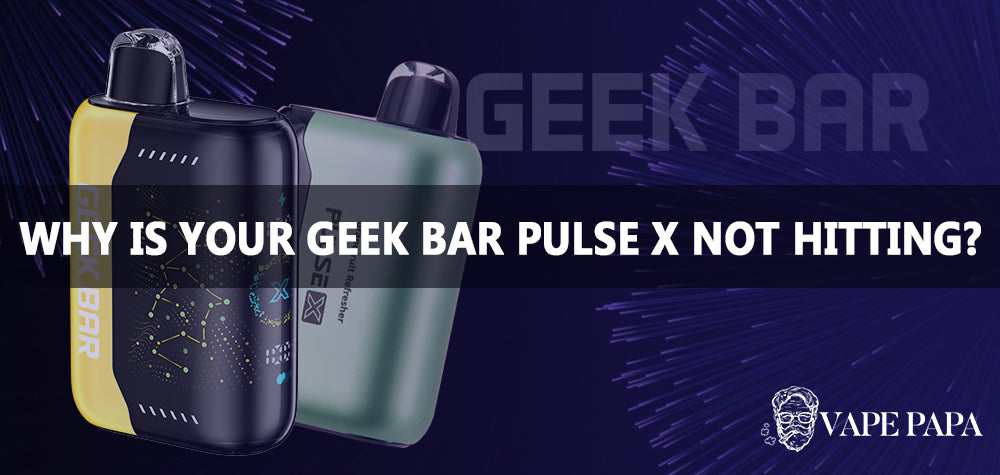
Finding your UMIN Geek Bar Pulse X screen unresponsive can be a real head-scratcher, especially when you're looking forward to a satisfying vape. This device is known for its advanced features, including a vibrant 3D curved screen that provides crucial information like battery life and e-liquid levels. When that screen goes blank or freezes, it can disrupt your experience and leave you wondering what's wrong. Don't worry, we're here to help you understand common issues and offer practical solutions.
Important Compliance Notice: Vaping products are intended for adult users only. Please ensure you comply with all local age restrictions and regulations regarding the purchase and use of these devices. Always dispose of used devices responsibly.
Why might your UMIN Geek Bar Pulse X screen not be working?
Several factors can lead to a screen issue on your UMIN Geek Bar Pulse X. Understanding these can help you diagnose the problem more effectively.

- Low or Depleted Battery: This is often the simplest explanation. If your device's 700mAh rechargeable battery is critically low or completely drained, the screen might not have enough power to illuminate or display information. The device prioritises heating the coil over screen display in very low power states.
- E-liquid Level: While the screen is designed to show e-liquid levels, if the 18mL e-liquid reservoir is completely empty, the device might enter a protective mode, which could affect screen functionality. Some devices prevent firing when dry to avoid a burnt taste, and this might also impact the display.
- Temporary Software Glitch: Like any electronic device, your Geek Bar Pulse X can sometimes experience minor software hiccups. These are usually temporary and can often be resolved with a simple reset or by allowing the device to rest.
- Physical Damage: Drops, impacts, or exposure to moisture can severely damage internal components, including the screen's connection or the display itself. Disposable vapes are generally not designed to withstand significant physical trauma.
- Extreme Temperatures: Operating or storing your device in very hot or very cold conditions can affect its electronic components, including the screen. Extreme cold can slow down LCD responses, while extreme heat can cause permanent damage.
Troubleshooting steps for a non-responsive screen
Before you consider replacing your device, try these straightforward troubleshooting steps:
- Charge Your Device: Connect your UMIN Geek Bar Pulse X to a reliable USB-C charger. Allow it to charge for at least 30 minutes. A fully depleted battery might take a little longer to show signs of life on the screen. Observe if any charging indicator appears. The Geek Bar Pulse X is designed for convenient recharging, so ensure your cable and power source are working correctly.
- Check E-liquid Levels: While you can't refill a disposable, if the screen was working previously and indicated low e-liquid, it might have simply run out. If the device isn't firing either, this is a strong indicator. The device is engineered to deliver up to 25,000 puffs, but usage patterns can vary.
- Perform a Soft Reset (if possible): For most disposable vapes, a "soft reset" usually involves letting the device sit for a few minutes, then attempting to draw from it. Sometimes, a brief disconnection from power (if charging) and reconnection can also help clear minor glitches.
- Inspect for Visible Damage: Carefully examine your device for any cracks, dents, or signs of water ingress. If you notice significant damage, it's likely the screen issue stems from this, and repair for a disposable device is generally not feasible.

- Allow Device to Acclimatise: If your device has been exposed to extreme temperatures, bring it to a moderate room temperature and let it sit for an hour or two before trying again.
If these steps don't resolve the issue, it's possible your device has an internal fault or has reached the end of its operational life. For more details on this advanced device, you can learn more about the UMIN Geek Bar PULSE X 25000 Puffs Disposable Vape here.

Preventing screen issues and choosing reliable devices
Taking good care of your vape device can extend its life and prevent common problems. Always store your device in a cool, dry place, away from direct sunlight and extreme temperatures. Avoid dropping it or exposing it to water.
When considering your next vape, think about what features are most important to you. While the UMIN Geek Bar Pulse X offers a sophisticated screen and dual draw modes, other devices provide different benefits, focusing on simplicity, battery life, or flavour variety.
Here's a quick comparison of some popular disposable vape options, helping you decide based on your priorities:
-
For the Tech-Savvy Vaper who values information:
- UMIN Geek Bar PULSE X 25000 Puffs Disposable Vape: Features a 3D curved screen for real-time data, dual PULSE/regular draw, and a massive 25,000 puff count. Ideal for those who want detailed control and a premium experience. View UMIN Geek Bar PULSE X details.
-
For the User seeking long-lasting simplicity and reliability:
- Umin Slick Plus 10000 Puffs Disposable Vape: Offers a robust 2700mAh battery for extended use and a wide range of 14 refreshing flavours. Focuses on consistent MTL vaping without complex screen interfaces. Discover Umin Slick Plus 10000 details.
- IGET ONE 12000 Puffs Disposable Vape: Another compact MTL option with a 2700mAh battery, delivering up to 12,000 puffs and 21 bold flavours. Great for hassle-free, long-term use. Explore IGET ONE 12000 details.
-
For Flavour Enthusiasts and those who prefer pod systems:
- IGET BAR PLUS S3 Pod Only 10000 Puffs: A convenient pod-only option offering up to 10,000 puffs with a reliable MTL draw and 13 bold, fruity, and icy flavours. Perfect for those who enjoy swapping pods. Learn more about IGET BAR PLUS S3 Pod.
- IGET BAR PRO 10000 Puffs Disposable Vape: A compact disposable with a 2000mAh battery and 23 diverse flavours, ensuring a long-lasting and flavourful MTL experience. Check out IGET BAR PRO 10000 details.
-
For a smooth MTL draw with high e-liquid capacity:
- ALIBARBAR INGOT 9000 Puffs Disposable Vape: Features a substantial 22ml e-liquid capacity and a 2400mAh battery, providing up to 9000 puffs with a smooth MTL draw and 20 distinct flavours. View ALIBARBAR INGOT 9000 details.
Choosing the right device depends on your personal vaping style and what features you value most. While a screen offers useful data, a simpler device might offer greater robustness or a different kind of convenience. Internal survey data suggests that battery life and flavour variety are often top priorities for disposable vape users, alongside puff count.
Must-Read Before Buying:
- Age Restrictions: You must be of legal smoking age in your jurisdiction to purchase and use vaping products. We strictly adhere to age verification processes.
- Purchase Conditions: All sales are final for health and safety reasons, unless the product is deemed faulty upon arrival. Please inspect your order carefully.
- Privacy Policy: Your personal information is handled with the utmost care and in accordance with our comprehensive privacy policy, which can be found on our website.
- Responsible Disposal: Please dispose of used vaping devices and batteries responsibly at designated recycling points to minimise environmental impact. Do not discard them in general waste.